niceview
NiceView simplifies NiceGUI programming by deriving forms and tables from Pydantic or SqlModel models: the widget for each type, the layout, and validation against the model, shown inline at the field it belongs to, cross-field rules included. Persistence is a swappable adapter (a JSON file, a directory of files, SQL through SqlModel, or your own) with save, refresh, autosave and optimistic locking already wired up. The same model renders as a desktop table or as a mobile list ↔ detail drill-down.
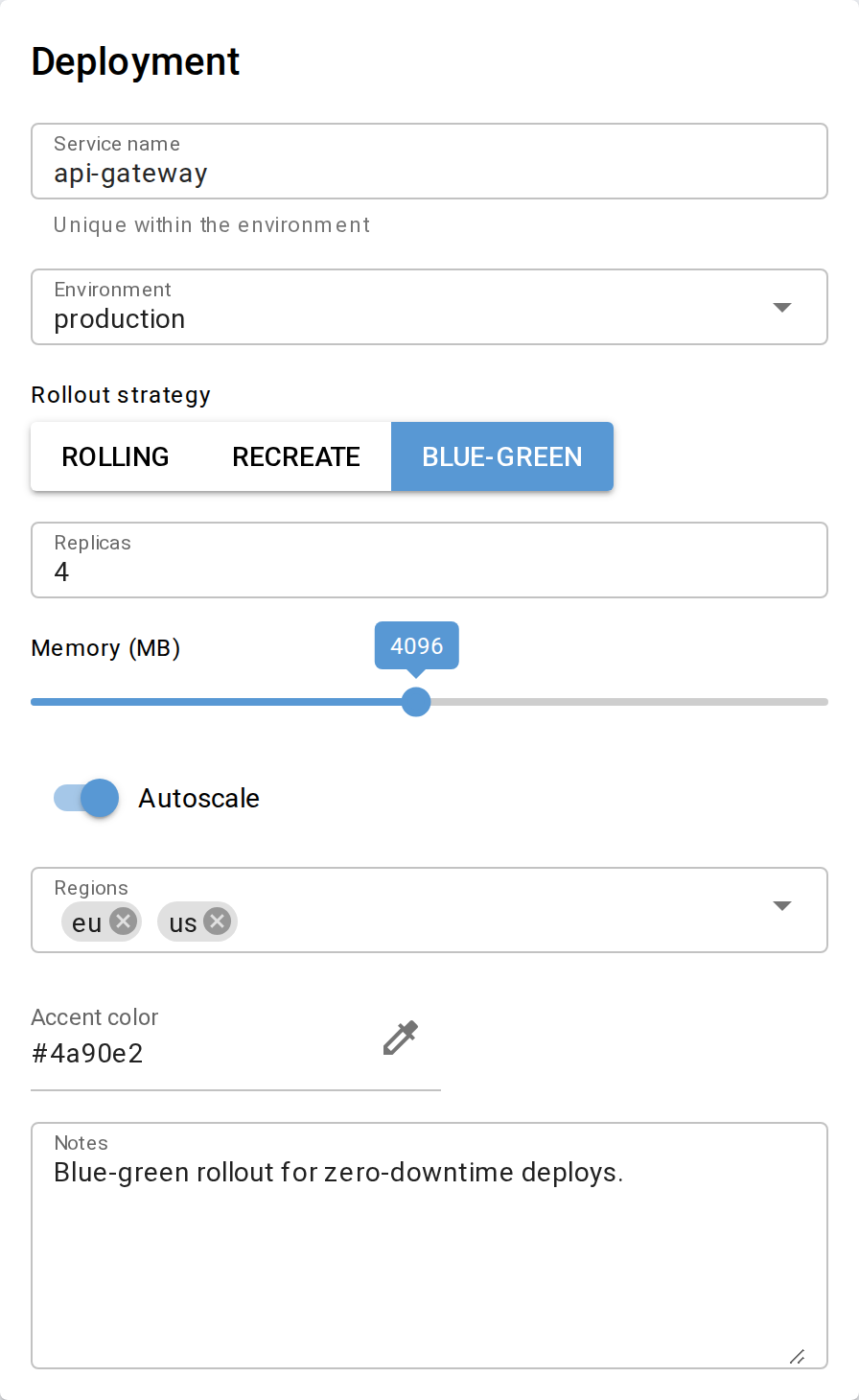
One ModelForm.from_item(...) call, rendered from a Pydantic model.
Installation
uv add git+https://github.com/clausgf/niceview          # or: pip install git+https://...
uv add "niceview[sqlmodel] @ git+https://github.com/clausgf/niceview"   # with SqlModelAdapter
SqlModelAdapter is the only component with an extra dependency (sqlmodel); everything else
works with the base install. All public names are importable directly from niceview
(from niceview import ModelForm, ModelGrid, ...).
Quick start
import pydantic
from nicegui import ui
from niceview import ModelForm

class User(pydantic.BaseModel):
    name: str = pydantic.Field(default='', max_length=50, title='Name')
    age: int = pydantic.Field(default=0, ge=0, le=150)
    active: bool = True

user = User(name='Alice', age=30)

@ui.page('/')
def main():
    ModelForm.from_item(user).render()

ui.run()
Every component follows the same create-then-render pattern: the factory returns the instance,
render() draws it into the current NiceGUI context and returns the instance again — so the
fluent one-liner X.from_list(...).render() always works. Unknown keyword arguments raise
TypeError rather than being silently dropped.
Components at a glance
| Component | Purpose |
|---|---|
ModelForm |
A Pydantic model as an editable form (fields only, no chrome) |
ModelGrid / ModelGridInlineEdit |
A list as a read-only or inline-editable AgGrid table |
EditGridWrapper / EditFormWrapper |
Grid/form plus title, description and CRUD/action buttons |
| Card-based list editing | One autosaving ModelForm per item, custom layout |
ModelList / DrillDownWrapper |
Mobile-first list ↔ detail drill-down navigation |
render_field / field_value |
One widget from one Field(), without a model |
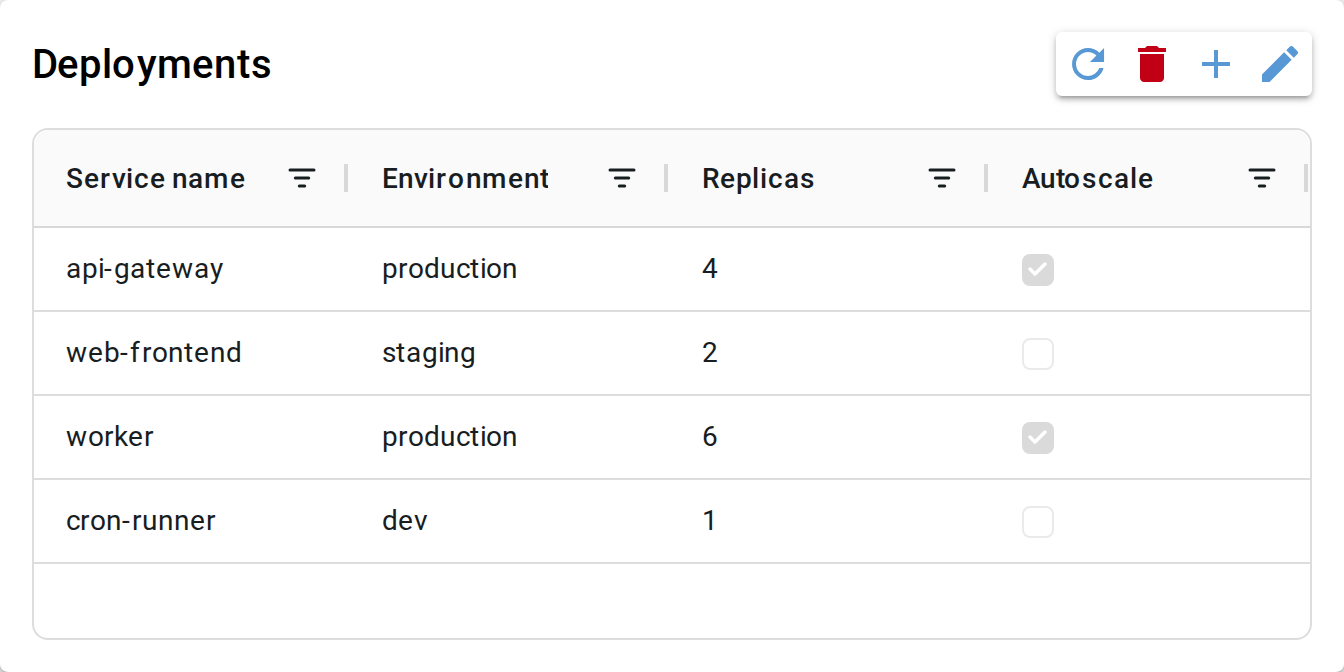 EditGridWrapper — table with add / edit / delete / refresh |
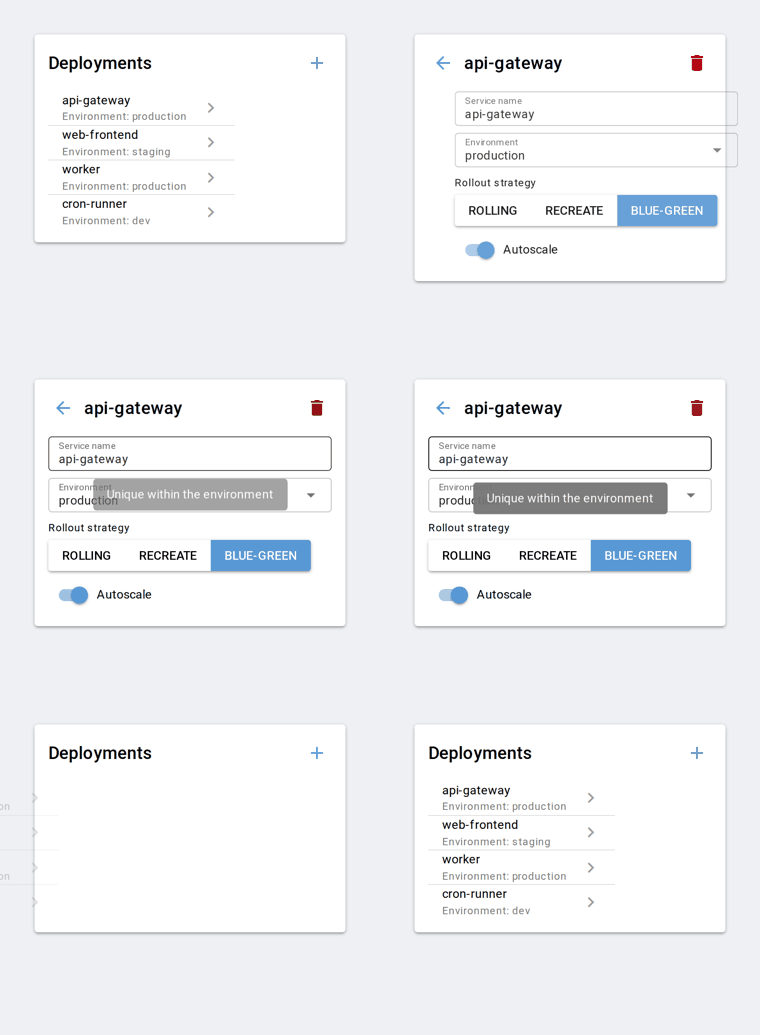 DrillDownWrapper — mobile list ↔ detail drill-down |
Where to go next
- Concepts — how the chrome, field and text cascades fit together
- Components — the guide: layout, actions, validation, chrome styling, the
model-free
render_field - Data adapters — storage backends, lenient loading, optimistic locking, reactive updates, the adapter protocols
- Field types — type→widget mapping,
niceview.Field()options,Metaprofiles - API reference — every public class and function, generated from the source
- Design decisions — what was decided against, and why
The examples are runnable: each one is a single file that starts a NiceGUI app and explains itself on its own first page.