EditGridWrapper / EditFormWrapper
examples/06_edit_wrapper.py · run it with uv run python examples/06_edit_wrapper.py
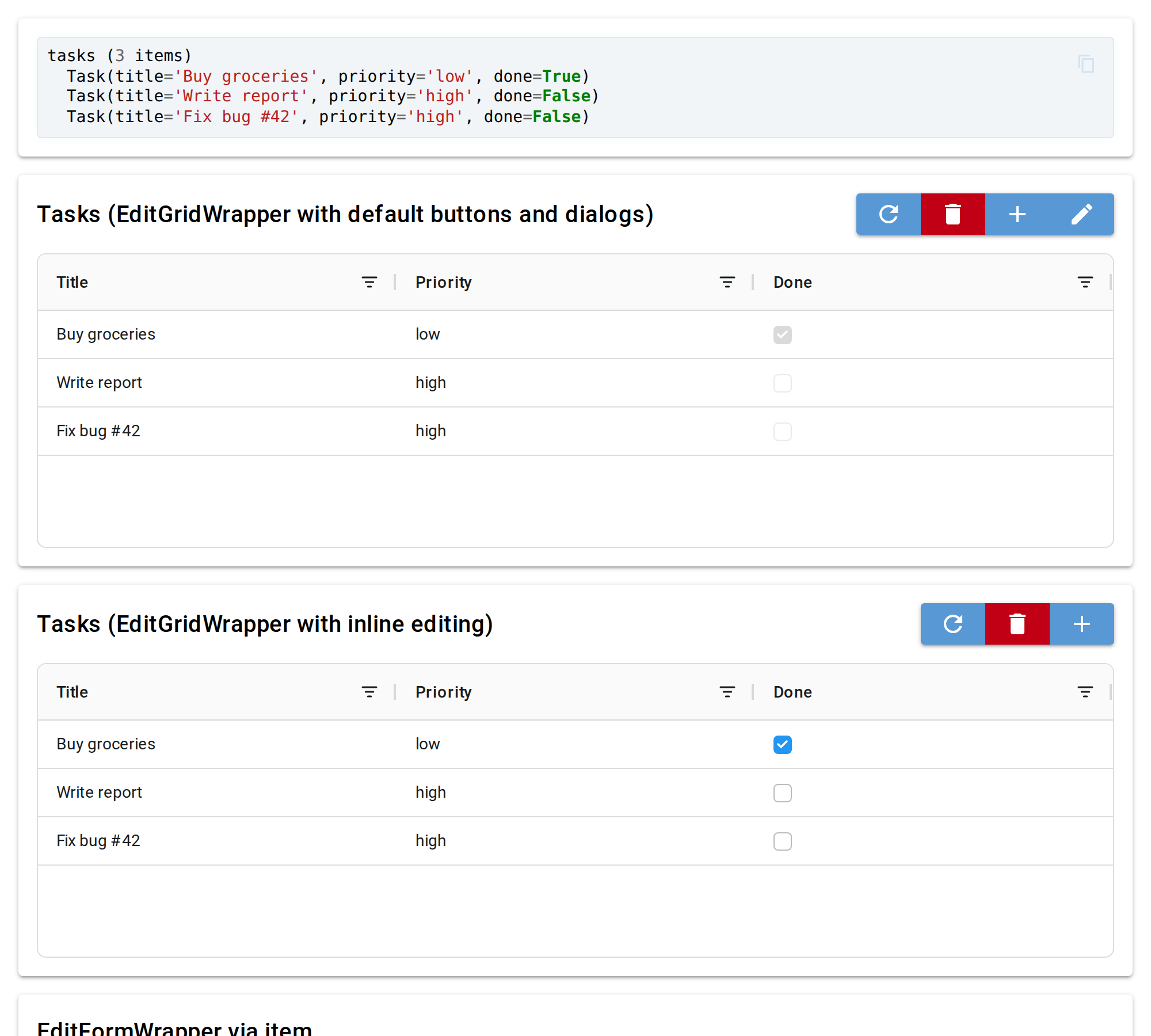
Wrappers that add chrome (title + action buttons) on top of a grid or form:
- EditGridWrapper — Add / Edit / Delete / Refresh buttons above a
ModelGrid; Add and Edit open a popup dialog with aModelForm. Withinline_edit=Truethe cells are edited directly in the grid and the Edit button disappears. - EditFormWrapper — Save / Refresh buttons above a
ModelForm. Save persists to the adapter, Refresh reloads from it. Both buttons are hidden forfrom_item()(no adapter) and Save is hidden withautosave=True.
All sections share the same in-memory tasks list; the live view at the top
shows its current content.
Source
"""
# EditGridWrapper / EditFormWrapper

Wrappers that add chrome (title + action buttons) on top of a grid or form:

- **EditGridWrapper** — Add / Edit / Delete / Refresh buttons above a `ModelGrid`;
  Add and Edit open a popup dialog with a `ModelForm`. With `inline_edit=True` the
  cells are edited directly in the grid and the Edit button disappears.
- **EditFormWrapper** — Save / Refresh buttons above a `ModelForm`. Save persists
  to the adapter, Refresh reloads from it. Both buttons are hidden for
  `from_item()` (no adapter) and Save is hidden with `autosave=True`.

All sections share the same in-memory `tasks` list; the live view at the top
shows its current content.
"""

import pydantic
from typing import Annotated, Literal
from nicegui import ElementFilter, ui
import niceview
from niceview import ListAdapter, EditGridWrapper, EditFormWrapper

# Stored ids -> display labels: the inline grid edits priority through a dropdown of these labels.
PRIORITY_LABELS = {'low': 'Low', 'medium': 'Medium', 'high': 'High'}


class Task(pydantic.BaseModel):
    title: str = pydantic.Field(default='', min_length=1, max_length=40, title='Title')
    priority: Annotated[
        Literal['low', 'medium', 'high'],
        pydantic.Field(title='Priority'),
        niceview.Field(widget_type='ui.select', options=PRIORITY_LABELS),
    ] = 'medium'
    done: bool = pydantic.Field(default=False, title='Done')


tasks = [
    Task(title='Buy groceries', priority='low', done=True),
    Task(title='Write report', priority='high', done=False),
    Task(title='Fix bug #42', priority='high', done=False),
]


def _fmt() -> str:
    return '\n'.join([f'tasks ({len(tasks)} items)'] + [f'  {t!r}' for t in tasks])


@ui.page('/')
def page():
    ui.markdown(__doc__ or '')
    ui.separator()

    with ui.card().classes('w-full'):
        live_view = ui.code(_fmt()).classes('w-full')
        ui.timer(1, lambda: live_view.set_content(_fmt()))

    with ui.card().classes('w-full'):
        EditGridWrapper.from_list(
            Task, tasks,
            title='Tasks (EditGridWrapper with default buttons and dialogs)',
        ).render()

    with ui.card().classes('w-full'):
        EditGridWrapper.from_list(
            Task, tasks,
            inline_edit=True,
            title='Tasks (EditGridWrapper with inline editing)',
        ).render()

    with ui.grid().classes('w-full gap-4 grid-cols-1 lg:grid-cols-2').mark('my-form'):
        with ui.card().classes('w-full'):
            # from_item: no adapter, so no Save/Refresh buttons — edits go straight to tasks[0]
            EditFormWrapper.from_item(Task, tasks[0], title='EditFormWrapper via item').render()

        with ui.card().classes('w-full'):
            adapter = ListAdapter(Task, tasks)
            key = adapter.key_from_item(tasks[0])
            EditFormWrapper.from_adapter(Task, adapter, key, title='EditFormWrapper via adapter').render()
        ElementFilter().within(marker='my-form').props('dense').classes('w-full')


ui.run(title='06 — Edit Wrappers')